Real TV Setup Guide: Quick & Easy
Getting your Real X Box set up is quick and easy. Just follow these simple steps and start enjoying your favourite Indian shows and movies in just minutes.
For the best experience, follow the Indian IPTV set-top box setup guide below :
Need assistance? Our support team is always ready to help.
Device Pairing Instructions
-
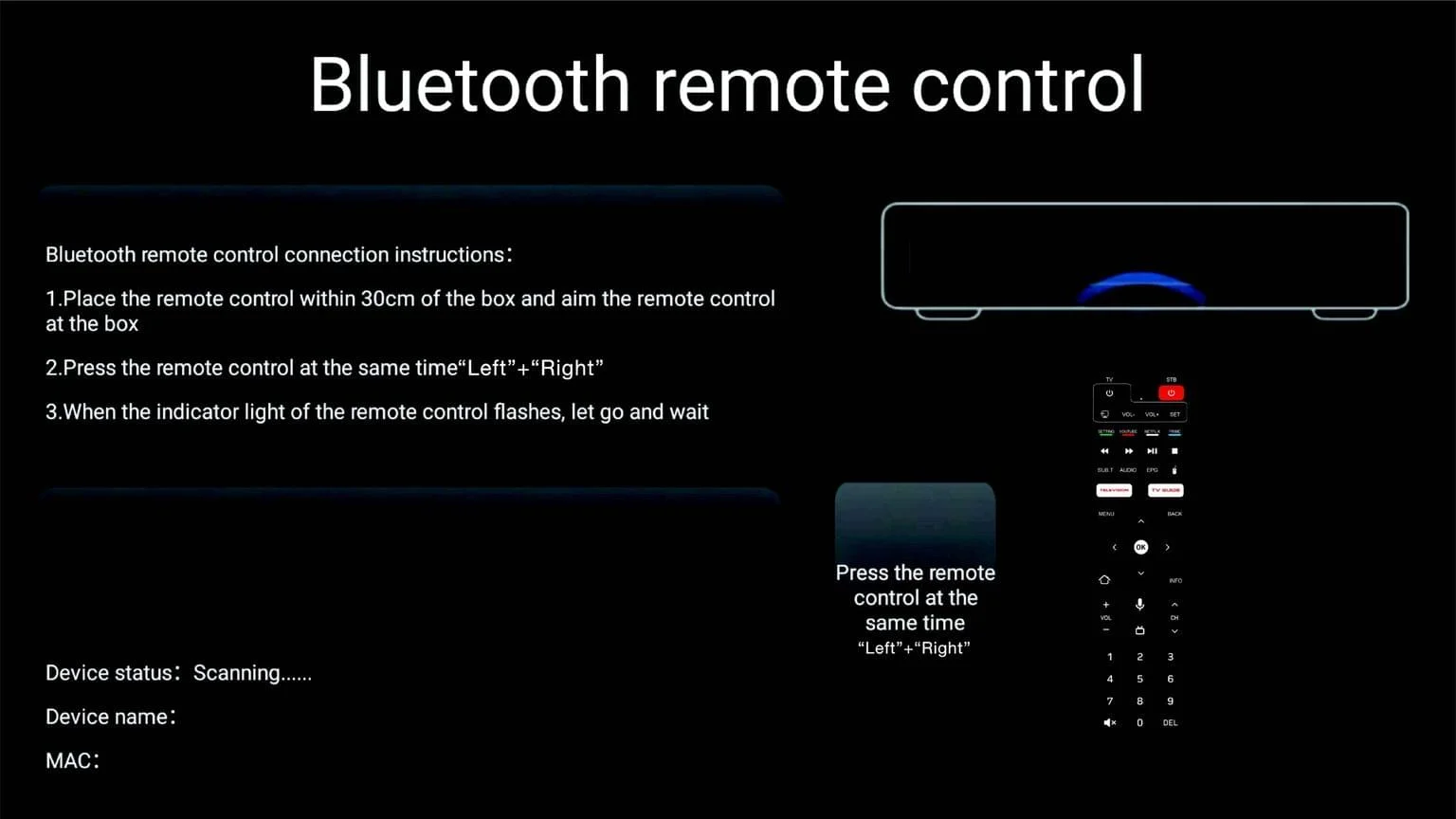
- Enter the Bluetooth pairing interface after device turns on.
- Long press “Left” + “Right” button at the same time for more than 3 seconds. The remote Control LED light blinks to enter auto pair mode.
- The device will be automatically paired and connected. After the product is successfully connected, it can realize 360 degree operation of the device.
*This product can store pairing information for only one main device at a time. When connecting to a new device, it will not automatically reconnect to previously paired devices. To pair it successfully with a new device, you must first remove the old connection information from the previous device before starting a new pairing process.
Remote Control Mode Description
-
- When the device is not connected through Bluetooth, the remote control operates using infrared mode by default.
- After connecting via Bluetooth, the remote provides seamless 360° control, allowing you to operate the device smoothly from any angle or direction.
Special Key function description
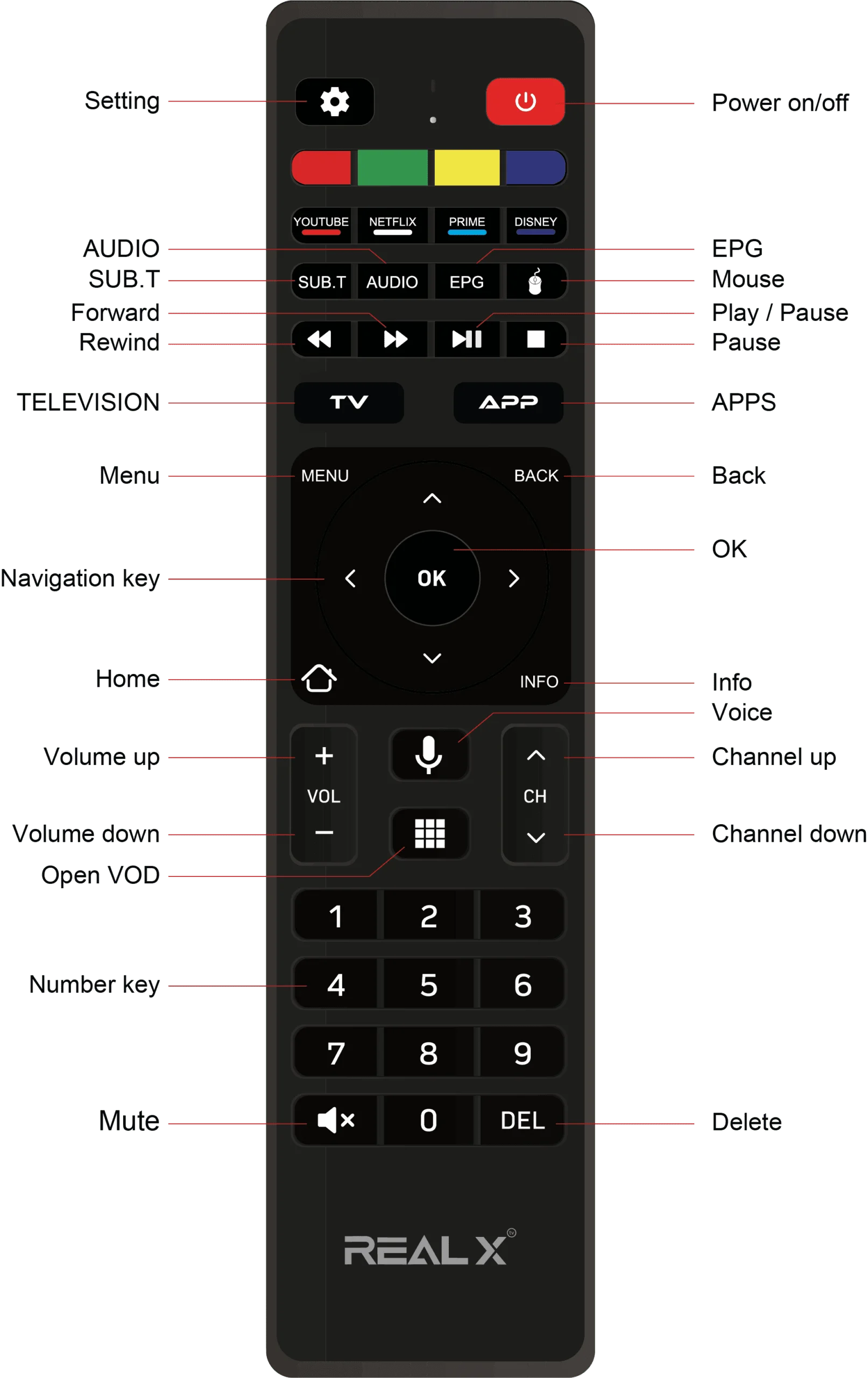
- In infrared mode, pressing the “Voice” button will open the Bluetooth pairing interface.
- In Bluetooth mode, the same button functions as a voice control feature.
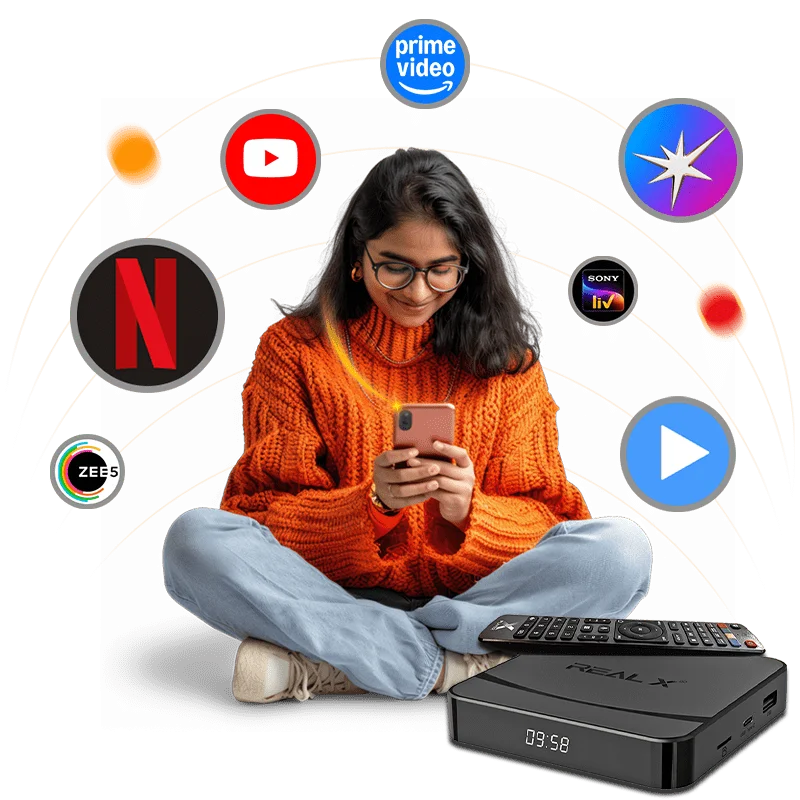
Get the Free Real 2X App with the Latest Real X Box
Experience smarter, faster, and more immersive entertainment with the Real 2X App — now included free with the latest Real X Box. Built to transform the way you stream, watch, and manage your content, Real 2X combines speed, convenience, and intelligent features in one powerful platform.
With the Real 2X App, enjoy seamless navigation, faster loading times, personalised controls, and easy access to your favourite Indian channels, TV shows, and on-demand entertainment. Every interaction feels smoother, sharper, and more responsive — delivering the modern entertainment experience you deserve.
